
14 Essential Apps That Power High-Performance Remote Teams
Copy this code to embed the top 10:
Remote work thrives on the right digital infrastructure. From seamless communication to focused deep work and airtight project tracking, the best teams rely on a carefully chosen stack of apps. Here are 14 essential tools that consistently help remote professionals stay organized, connected, and ahead of schedule.
-
10

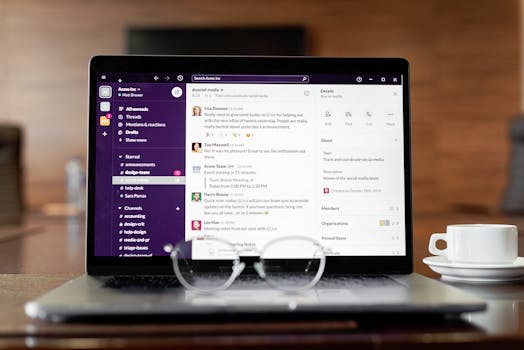
Slack
Slack remains the backbone of real-time team communication for remote companies worldwide. Its channel structure, integrations with hundreds of tools, and powerful search functionality reduce email overload and centralize conversations. For distributed teams, it creates a virtual office that never sleeps.
-
20

Asana
Asana excels at turning big goals into trackable tasks and timelines. Its visual project views—lists, boards, and timelines—make accountability transparent across time zones. Remote managers especially value its automation features for recurring workflows.
-
30

Notion
Notion combines documents, wikis, databases, and task management into one flexible workspace. Remote teams use it as a central knowledge hub, reducing scattered information. Its customization capabilities allow companies to design systems tailored to their exact processes.
-
40

Zoom
Despite growing competition, Zoom remains a leader in reliable video conferencing. Features like breakout rooms, meeting recordings, and webinar hosting make it indispensable for remote collaboration. Its stability across varying internet conditions gives it an edge.
-
50

Trello
Trello’s intuitive Kanban boards make project tracking simple and visual. It’s particularly effective for small teams or creative workflows that benefit from drag-and-drop task management. Power-Ups extend its functionality without overwhelming new users.
-
Advertisement
-
60

Microsoft Teams
Deeply integrated with Microsoft 365, Teams is a natural choice for organizations already in the Microsoft ecosystem. It combines chat, video meetings, and document collaboration in one secure environment. Enterprise-level security makes it popular among large corporations.
-
70

ClickUp
ClickUp positions itself as an all-in-one productivity platform, blending tasks, docs, goals, and time tracking. Its high level of customization appeals to fast-growing remote startups. Teams can consolidate multiple tools into one unified system.
-
80
Google Workspace
Google Docs, Sheets, Drive, and Meet form a collaboration suite that’s nearly universal. Real-time editing and cloud-based storage eliminate version confusion. For remote teams, its simplicity and accessibility are major strengths.
-
90

Todoist
For individual remote workers, Todoist offers clean, distraction-free task management. Its natural language input and cross-platform syncing make it easy to capture tasks anywhere. It’s ideal for personal productivity within larger team systems.
-
100

RescueTime
RescueTime helps remote professionals understand how they actually spend their digital hours. By tracking app and website usage, it provides insights that can reduce distractions and improve focus. Its reports are particularly useful for freelancers billing by time.
-
Advertisement
-
110

Miro
Miro brings collaborative whiteboarding to distributed teams. Brainstorming sessions, design sprints, and strategy mapping become interactive and visual. Its templates help replicate the energy of in-person workshops.
-
120

Clockify
Clockify is a straightforward time-tracking tool widely used by remote agencies and contractors. Detailed reports simplify invoicing and project budgeting. Its generous free tier makes it accessible for startups and freelancers.
-
130
1Password
Security is critical for remote teams handling sensitive data. 1Password allows secure password sharing, vault organization, and breach monitoring. It reduces the risks associated with distributed device usage.
-
140

Focus@Will
Focus@Will offers scientifically curated music designed to enhance concentration. For remote workers battling household distractions, structured audio environments can significantly improve deep work sessions. It’s a niche but surprisingly powerful productivity enhancer.
Also ranked in
- 15 Essential Productivity Tools Remote Professionals Swear By 13 shared
- 15 Productivity Powerhouses Remote Workers Swear By in 2026 13 shared
- 15 Remote Work Apps That Eliminate Busywork and Keep Distributed Teams Aligned 13 shared
- 14 Essential Productivity Tools That Help Remote Teams Stay Focused and Organized 13 shared
- 14 Essential Productivity Apps That Make Remote Work Smoother, Smarter, and Saner 12 shared
More Lists You Might Like




Frequently Asked Questions
What types of apps are most important for remote workers?
Are free productivity apps sufficient for remote teams?
How can remote workers avoid app overload?
Do productivity apps actually improve performance?
Missing something?
Suggest an addition. Submissions are reviewed before appearing on the list.