
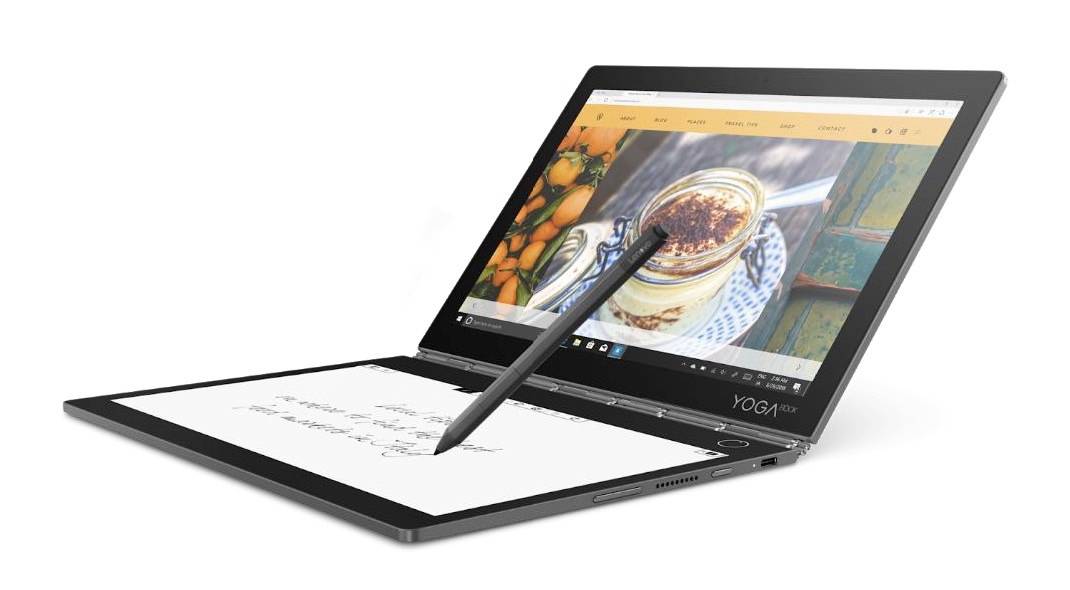
Best laptops for drawing: Top 5 devices and specs
Copy this code to embed the top 10:
With new jobs like graphic designing and drawing increasing and being on-demand laptops have to bear the load of huge software. A laptop with a good graphics card is a must. Here is a list of best laptops for drawing.
Microsoft Surface Pro 7
Best overall product for drawing that can support many software.
Laptop Specifications
-
10
Graphics Card: Intel Iris Plus (Integrated)
1.1 GHz Intel Core i7 (10th Gen)Storage: 128 GB/ 256 GB SSDRAM: 16 GBDisplay: 12.3-inch Touchscreen Resolution: 2736 x 1824 pixelsBattery: Up to 10.5 hoursPort: USB 3.1 Type-A, USB-C portWeight: 1.7 pounds Pros Best-in-class DisplayHighly affordableGood Battery LifeGood Processing Speed2-in-1 convertible deviceLightweight device Cons SSD Non-competitiveKeyboard and Stylus to be bought separately.No Thunderbolt 3 port HP Spectre x360 A high performing and stable device for graphic work. Laptop Specifications: Graphics Card: Intel Ultra HD Graphics 620CPU: 1.8GHz Intel Core i7-8550UStorage: 512GB PCIe NVMe M.2 SSDRAM: 16GBDisplay: 13.3-inch FHD IPS Touchscreen Resolution: 1920 x 1080Battery: Up to 14 hoursPorts: USB port 2.0, 3 USB ports 3.0, 2 Thunderbolt ports, audio jackWeight: 2.7 pounds Pros: Excellent processing speedLong battery life lasting for 14 hoursFingerprint reader, face-recognition smart featuresHuge storage capacityWide Display Cons: The touchpad is not so smooth.Angle adjustment is limited. Microsoft Surface Book 2 Professional’s chosen device for office work and other drawing requirements. Laptop Specifications: Graphic Card: 2GB NVIDIA GeForce GTX 1050CPU: 4.2GHz Intel Core i7-8650UStorage: 512GB SSDRAM: 16 GB LPDDR3Display: 13.5-inch Touchscreen with penResolution: 3000 x 2000Battery: Up to 17 hoursPorts: USB port C, 2 USB ports 3.0, Surface Connect port, audio jackWeight: 3.6 pounds Pros: Vivid, wide, and detailed displayLong Battery LifeMagnetically attachable StylusPowerful discrete Graphic Card and Processor Cons: High PriceBulky product than the contendersThunderbolt 3 port absent Lenovo Yoga 920 Best 2 in 1 Laptop for Digital Art Laptop Specifications: Graphics Card: Intel UHD Graphics 620CPU: 1.8GHz Intel Core i7-8550UStorage: 512GB SSDRAM: 16 DDR4 GBDisplay: 13.9 inches 4K LED TouchscreenResolution: 3840 x 2160Battery: Up to 11 hoursPorts: USB port 3.0, 2 Thunderbolt 3, and an audio jackWeight: 3 pounds Pros: A Powerful processor ensures smooth and fast performanceDrawing Pen includedWide touchscreen 4K displayUtilitarian and Sleek designLong battery life Cons: Typing experience is bad.A small range of ports is available Lenovo Flex 5 Best Laptop For Beginning Artists Laptop Specifications: Graphics Card: Integrated Intel Ultra HD Graphics 620CPU: 2.5GHz Intel Core i5-7200UStorage: 128 GB Pie SSDRAM: 8 GB DDR4 Display: 14-inch FHD IPS TouchscreenResolution: 1920 x 1080Battery: Up to 8 hoursPorts: 2 USB port 3.0, HDMI slot, 1 USB Port C, and a 3.5 mm jackWeight: 3.6 pounds Pros: Extremely lightweight and convertibleAddition of Windows Ink and Lenovo PenKeyboard functions very wellGood range of ports availableMultitasking is easy with high performance Cons: Low battery lifeThe display is not good. So these are the best laptops for drawing. A drawing laptop requires a good graphic card apart from a fast processor. Also, a stylus as well.
-
20
CPU: 1.1 GHz Intel Core i7 (10th Gen)
128 GB/ 256 GB SSDRAM: 16 GBDisplay: 12.3-inch Touchscreen Resolution: 2736 x 1824 pixelsBattery: Up to 10.5 hoursPort: USB 3.1 Type-A, USB-C portWeight: 1.7 pounds Pros Best-in-class DisplayHighly affordableGood Battery LifeGood Processing Speed2-in-1 convertible deviceLightweight device Cons SSD Non-competitiveKeyboard and Stylus to be bought separately.No Thunderbolt 3 port HP Spectre x360 A high performing and stable device for graphic work. Laptop Specifications: Graphics Card: Intel Ultra HD Graphics 620CPU: 1.8GHz Intel Core i7-8550UStorage: 512GB PCIe NVMe M.2 SSDRAM: 16GBDisplay: 13.3-inch FHD IPS Touchscreen Resolution: 1920 x 1080Battery: Up to 14 hoursPorts: USB port 2.0, 3 USB ports 3.0, 2 Thunderbolt ports, audio jackWeight: 2.7 pounds Pros: Excellent processing speedLong battery life lasting for 14 hoursFingerprint reader, face-recognition smart featuresHuge storage capacityWide Display Cons: The touchpad is not so smooth.Angle adjustment is limited. Microsoft Surface Book 2 Professional’s chosen device for office work and other drawing requirements. Laptop Specifications: Graphic Card: 2GB NVIDIA GeForce GTX 1050CPU: 4.2GHz Intel Core i7-8650UStorage: 512GB SSDRAM: 16 GB LPDDR3Display: 13.5-inch Touchscreen with penResolution: 3000 x 2000Battery: Up to 17 hoursPorts: USB port C, 2 USB ports 3.0, Surface Connect port, audio jackWeight: 3.6 pounds Pros: Vivid, wide, and detailed displayLong Battery LifeMagnetically attachable StylusPowerful discrete Graphic Card and Processor Cons: High PriceBulky product than the contendersThunderbolt 3 port absent Lenovo Yoga 920 Best 2 in 1 Laptop for Digital Art Laptop Specifications: Graphics Card: Intel UHD Graphics 620CPU: 1.8GHz Intel Core i7-8550UStorage: 512GB SSDRAM: 16 DDR4 GBDisplay: 13.9 inches 4K LED TouchscreenResolution: 3840 x 2160Battery: Up to 11 hoursPorts: USB port 3.0, 2 Thunderbolt 3, and an audio jackWeight: 3 pounds Pros: A Powerful processor ensures smooth and fast performanceDrawing Pen includedWide touchscreen 4K displayUtilitarian and Sleek designLong battery life Cons: Typing experience is bad.A small range of ports is available Lenovo Flex 5 Best Laptop For Beginning Artists Laptop Specifications: Graphics Card: Integrated Intel Ultra HD Graphics 620CPU: 2.5GHz Intel Core i5-7200UStorage: 128 GB Pie SSDRAM: 8 GB DDR4 Display: 14-inch FHD IPS TouchscreenResolution: 1920 x 1080Battery: Up to 8 hoursPorts: 2 USB port 3.0, HDMI slot, 1 USB Port C, and a 3.5 mm jackWeight: 3.6 pounds Pros: Extremely lightweight and convertibleAddition of Windows Ink and Lenovo PenKeyboard functions very wellGood range of ports availableMultitasking is easy with high performance Cons: Low battery lifeThe display is not good. So these are the best laptops for drawing. A drawing laptop requires a good graphic card apart from a fast processor. Also, a stylus as well.
-
30
Storage: 128 GB/ 256 GB SSD
16 GBDisplay: 12.3-inch Touchscreen Resolution: 2736 x 1824 pixelsBattery: Up to 10.5 hoursPort: USB 3.1 Type-A, USB-C portWeight: 1.7 pounds Pros Best-in-class DisplayHighly affordableGood Battery LifeGood Processing Speed2-in-1 convertible deviceLightweight device Cons SSD Non-competitiveKeyboard and Stylus to be bought separately.No Thunderbolt 3 port HP Spectre x360 A high performing and stable device for graphic work. Laptop Specifications: Graphics Card: Intel Ultra HD Graphics 620CPU: 1.8GHz Intel Core i7-8550UStorage: 512GB PCIe NVMe M.2 SSDRAM: 16GBDisplay: 13.3-inch FHD IPS Touchscreen Resolution: 1920 x 1080Battery: Up to 14 hoursPorts: USB port 2.0, 3 USB ports 3.0, 2 Thunderbolt ports, audio jackWeight: 2.7 pounds Pros: Excellent processing speedLong battery life lasting for 14 hoursFingerprint reader, face-recognition smart featuresHuge storage capacityWide Display Cons: The touchpad is not so smooth.Angle adjustment is limited. Microsoft Surface Book 2 Professional’s chosen device for office work and other drawing requirements. Laptop Specifications: Graphic Card: 2GB NVIDIA GeForce GTX 1050CPU: 4.2GHz Intel Core i7-8650UStorage: 512GB SSDRAM: 16 GB LPDDR3Display: 13.5-inch Touchscreen with penResolution: 3000 x 2000Battery: Up to 17 hoursPorts: USB port C, 2 USB ports 3.0, Surface Connect port, audio jackWeight: 3.6 pounds Pros: Vivid, wide, and detailed displayLong Battery LifeMagnetically attachable StylusPowerful discrete Graphic Card and Processor Cons: High PriceBulky product than the contendersThunderbolt 3 port absent Lenovo Yoga 920 Best 2 in 1 Laptop for Digital Art Laptop Specifications: Graphics Card: Intel UHD Graphics 620CPU: 1.8GHz Intel Core i7-8550UStorage: 512GB SSDRAM: 16 DDR4 GBDisplay: 13.9 inches 4K LED TouchscreenResolution: 3840 x 2160Battery: Up to 11 hoursPorts: USB port 3.0, 2 Thunderbolt 3, and an audio jackWeight: 3 pounds Pros: A Powerful processor ensures smooth and fast performanceDrawing Pen includedWide touchscreen 4K displayUtilitarian and Sleek designLong battery life Cons: Typing experience is bad.A small range of ports is available Lenovo Flex 5 Best Laptop For Beginning Artists Laptop Specifications: Graphics Card: Integrated Intel Ultra HD Graphics 620CPU: 2.5GHz Intel Core i5-7200UStorage: 128 GB Pie SSDRAM: 8 GB DDR4 Display: 14-inch FHD IPS TouchscreenResolution: 1920 x 1080Battery: Up to 8 hoursPorts: 2 USB port 3.0, HDMI slot, 1 USB Port C, and a 3.5 mm jackWeight: 3.6 pounds Pros: Extremely lightweight and convertibleAddition of Windows Ink and Lenovo PenKeyboard functions very wellGood range of ports availableMultitasking is easy with high performance Cons: Low battery lifeThe display is not good. So these are the best laptops for drawing. A drawing laptop requires a good graphic card apart from a fast processor. Also, a stylus as well.
-
40
RAM: 16 GB
12.3-inch Touchscreen Resolution: 2736 x 1824 pixelsBattery: Up to 10.5 hoursPort: USB 3.1 Type-A, USB-C portWeight: 1.7 pounds Pros Best-in-class DisplayHighly affordableGood Battery LifeGood Processing Speed2-in-1 convertible deviceLightweight device Cons SSD Non-competitiveKeyboard and Stylus to be bought separately.No Thunderbolt 3 port HP Spectre x360 A high performing and stable device for graphic work. Laptop Specifications: Graphics Card: Intel Ultra HD Graphics 620CPU: 1.8GHz Intel Core i7-8550UStorage: 512GB PCIe NVMe M.2 SSDRAM: 16GBDisplay: 13.3-inch FHD IPS Touchscreen Resolution: 1920 x 1080Battery: Up to 14 hoursPorts: USB port 2.0, 3 USB ports 3.0, 2 Thunderbolt ports, audio jackWeight: 2.7 pounds Pros: Excellent processing speedLong battery life lasting for 14 hoursFingerprint reader, face-recognition smart featuresHuge storage capacityWide Display Cons: The touchpad is not so smooth.Angle adjustment is limited. Microsoft Surface Book 2 Professional’s chosen device for office work and other drawing requirements. Laptop Specifications: Graphic Card: 2GB NVIDIA GeForce GTX 1050CPU: 4.2GHz Intel Core i7-8650UStorage: 512GB SSDRAM: 16 GB LPDDR3Display: 13.5-inch Touchscreen with penResolution: 3000 x 2000Battery: Up to 17 hoursPorts: USB port C, 2 USB ports 3.0, Surface Connect port, audio jackWeight: 3.6 pounds Pros: Vivid, wide, and detailed displayLong Battery LifeMagnetically attachable StylusPowerful discrete Graphic Card and Processor Cons: High PriceBulky product than the contendersThunderbolt 3 port absent Lenovo Yoga 920 Best 2 in 1 Laptop for Digital Art Laptop Specifications: Graphics Card: Intel UHD Graphics 620CPU: 1.8GHz Intel Core i7-8550UStorage: 512GB SSDRAM: 16 DDR4 GBDisplay: 13.9 inches 4K LED TouchscreenResolution: 3840 x 2160Battery: Up to 11 hoursPorts: USB port 3.0, 2 Thunderbolt 3, and an audio jackWeight: 3 pounds Pros: A Powerful processor ensures smooth and fast performanceDrawing Pen includedWide touchscreen 4K displayUtilitarian and Sleek designLong battery life Cons: Typing experience is bad.A small range of ports is available Lenovo Flex 5 Best Laptop For Beginning Artists Laptop Specifications: Graphics Card: Integrated Intel Ultra HD Graphics 620CPU: 2.5GHz Intel Core i5-7200UStorage: 128 GB Pie SSDRAM: 8 GB DDR4 Display: 14-inch FHD IPS TouchscreenResolution: 1920 x 1080Battery: Up to 8 hoursPorts: 2 USB port 3.0, HDMI slot, 1 USB Port C, and a 3.5 mm jackWeight: 3.6 pounds Pros: Extremely lightweight and convertibleAddition of Windows Ink and Lenovo PenKeyboard functions very wellGood range of ports availableMultitasking is easy with high performance Cons: Low battery lifeThe display is not good. So these are the best laptops for drawing. A drawing laptop requires a good graphic card apart from a fast processor. Also, a stylus as well.
-
50
Display: 12.3-inch Touchscreen
-
60
Resolution: 2736 x 1824 pixels
Up to 10.5 hoursPort: USB 3.1 Type-A, USB-C portWeight: 1.7 pounds Pros Best-in-class DisplayHighly affordableGood Battery LifeGood Processing Speed2-in-1 convertible deviceLightweight device Cons SSD Non-competitiveKeyboard and Stylus to be bought separately.No Thunderbolt 3 port HP Spectre x360 A high performing and stable device for graphic work. Laptop Specifications: Graphics Card: Intel Ultra HD Graphics 620CPU: 1.8GHz Intel Core i7-8550UStorage: 512GB PCIe NVMe M.2 SSDRAM: 16GBDisplay: 13.3-inch FHD IPS Touchscreen Resolution: 1920 x 1080Battery: Up to 14 hoursPorts: USB port 2.0, 3 USB ports 3.0, 2 Thunderbolt ports, audio jackWeight: 2.7 pounds Pros: Excellent processing speedLong battery life lasting for 14 hoursFingerprint reader, face-recognition smart featuresHuge storage capacityWide Display Cons: The touchpad is not so smooth.Angle adjustment is limited. Microsoft Surface Book 2 Professional’s chosen device for office work and other drawing requirements. Laptop Specifications: Graphic Card: 2GB NVIDIA GeForce GTX 1050CPU: 4.2GHz Intel Core i7-8650UStorage: 512GB SSDRAM: 16 GB LPDDR3Display: 13.5-inch Touchscreen with penResolution: 3000 x 2000Battery: Up to 17 hoursPorts: USB port C, 2 USB ports 3.0, Surface Connect port, audio jackWeight: 3.6 pounds Pros: Vivid, wide, and detailed displayLong Battery LifeMagnetically attachable StylusPowerful discrete Graphic Card and Processor Cons: High PriceBulky product than the contendersThunderbolt 3 port absent Lenovo Yoga 920 Best 2 in 1 Laptop for Digital Art Laptop Specifications: Graphics Card: Intel UHD Graphics 620CPU: 1.8GHz Intel Core i7-8550UStorage: 512GB SSDRAM: 16 DDR4 GBDisplay: 13.9 inches 4K LED TouchscreenResolution: 3840 x 2160Battery: Up to 11 hoursPorts: USB port 3.0, 2 Thunderbolt 3, and an audio jackWeight: 3 pounds Pros: A Powerful processor ensures smooth and fast performanceDrawing Pen includedWide touchscreen 4K displayUtilitarian and Sleek designLong battery life Cons: Typing experience is bad.A small range of ports is available Lenovo Flex 5 Best Laptop For Beginning Artists Laptop Specifications: Graphics Card: Integrated Intel Ultra HD Graphics 620CPU: 2.5GHz Intel Core i5-7200UStorage: 128 GB Pie SSDRAM: 8 GB DDR4 Display: 14-inch FHD IPS TouchscreenResolution: 1920 x 1080Battery: Up to 8 hoursPorts: 2 USB port 3.0, HDMI slot, 1 USB Port C, and a 3.5 mm jackWeight: 3.6 pounds Pros: Extremely lightweight and convertibleAddition of Windows Ink and Lenovo PenKeyboard functions very wellGood range of ports availableMultitasking is easy with high performance Cons: Low battery lifeThe display is not good. So these are the best laptops for drawing. A drawing laptop requires a good graphic card apart from a fast processor. Also, a stylus as well.
-
70
Battery: Up to 10.5 hours
USB 3.1 Type-A, USB-C portWeight: 1.7 pounds Pros Best-in-class DisplayHighly affordableGood Battery LifeGood Processing Speed2-in-1 convertible deviceLightweight device Cons SSD Non-competitiveKeyboard and Stylus to be bought separately.No Thunderbolt 3 port HP Spectre x360 A high performing and stable device for graphic work. Laptop Specifications: Graphics Card: Intel Ultra HD Graphics 620CPU: 1.8GHz Intel Core i7-8550UStorage: 512GB PCIe NVMe M.2 SSDRAM: 16GBDisplay: 13.3-inch FHD IPS Touchscreen Resolution: 1920 x 1080Battery: Up to 14 hoursPorts: USB port 2.0, 3 USB ports 3.0, 2 Thunderbolt ports, audio jackWeight: 2.7 pounds Pros: Excellent processing speedLong battery life lasting for 14 hoursFingerprint reader, face-recognition smart featuresHuge storage capacityWide Display Cons: The touchpad is not so smooth.Angle adjustment is limited. Microsoft Surface Book 2 Professional’s chosen device for office work and other drawing requirements. Laptop Specifications: Graphic Card: 2GB NVIDIA GeForce GTX 1050CPU: 4.2GHz Intel Core i7-8650UStorage: 512GB SSDRAM: 16 GB LPDDR3Display: 13.5-inch Touchscreen with penResolution: 3000 x 2000Battery: Up to 17 hoursPorts: USB port C, 2 USB ports 3.0, Surface Connect port, audio jackWeight: 3.6 pounds Pros: Vivid, wide, and detailed displayLong Battery LifeMagnetically attachable StylusPowerful discrete Graphic Card and Processor Cons: High PriceBulky product than the contendersThunderbolt 3 port absent Lenovo Yoga 920 Best 2 in 1 Laptop for Digital Art Laptop Specifications: Graphics Card: Intel UHD Graphics 620CPU: 1.8GHz Intel Core i7-8550UStorage: 512GB SSDRAM: 16 DDR4 GBDisplay: 13.9 inches 4K LED TouchscreenResolution: 3840 x 2160Battery: Up to 11 hoursPorts: USB port 3.0, 2 Thunderbolt 3, and an audio jackWeight: 3 pounds Pros: A Powerful processor ensures smooth and fast performanceDrawing Pen includedWide touchscreen 4K displayUtilitarian and Sleek designLong battery life Cons: Typing experience is bad.A small range of ports is available Lenovo Flex 5 Best Laptop For Beginning Artists Laptop Specifications: Graphics Card: Integrated Intel Ultra HD Graphics 620CPU: 2.5GHz Intel Core i5-7200UStorage: 128 GB Pie SSDRAM: 8 GB DDR4 Display: 14-inch FHD IPS TouchscreenResolution: 1920 x 1080Battery: Up to 8 hoursPorts: 2 USB port 3.0, HDMI slot, 1 USB Port C, and a 3.5 mm jackWeight: 3.6 pounds Pros: Extremely lightweight and convertibleAddition of Windows Ink and Lenovo PenKeyboard functions very wellGood range of ports availableMultitasking is easy with high performance Cons: Low battery lifeThe display is not good. So these are the best laptops for drawing. A drawing laptop requires a good graphic card apart from a fast processor. Also, a stylus as well.
-
80
Port: USB 3.1 Type-A, USB-C port
1.7 pounds Pros Best-in-class DisplayHighly affordableGood Battery LifeGood Processing Speed2-in-1 convertible deviceLightweight device Cons SSD Non-competitiveKeyboard and Stylus to be bought separately.No Thunderbolt 3 port HP Spectre x360 A high performing and stable device for graphic work. Laptop Specifications: Graphics Card: Intel Ultra HD Graphics 620CPU: 1.8GHz Intel Core i7-8550UStorage: 512GB PCIe NVMe M.2 SSDRAM: 16GBDisplay: 13.3-inch FHD IPS Touchscreen Resolution: 1920 x 1080Battery: Up to 14 hoursPorts: USB port 2.0, 3 USB ports 3.0, 2 Thunderbolt ports, audio jackWeight: 2.7 pounds Pros: Excellent processing speedLong battery life lasting for 14 hoursFingerprint reader, face-recognition smart featuresHuge storage capacityWide Display Cons: The touchpad is not so smooth.Angle adjustment is limited. Microsoft Surface Book 2 Professional’s chosen device for office work and other drawing requirements. Laptop Specifications: Graphic Card: 2GB NVIDIA GeForce GTX 1050CPU: 4.2GHz Intel Core i7-8650UStorage: 512GB SSDRAM: 16 GB LPDDR3Display: 13.5-inch Touchscreen with penResolution: 3000 x 2000Battery: Up to 17 hoursPorts: USB port C, 2 USB ports 3.0, Surface Connect port, audio jackWeight: 3.6 pounds Pros: Vivid, wide, and detailed displayLong Battery LifeMagnetically attachable StylusPowerful discrete Graphic Card and Processor Cons: High PriceBulky product than the contendersThunderbolt 3 port absent Lenovo Yoga 920 Best 2 in 1 Laptop for Digital Art Laptop Specifications: Graphics Card: Intel UHD Graphics 620CPU: 1.8GHz Intel Core i7-8550UStorage: 512GB SSDRAM: 16 DDR4 GBDisplay: 13.9 inches 4K LED TouchscreenResolution: 3840 x 2160Battery: Up to 11 hoursPorts: USB port 3.0, 2 Thunderbolt 3, and an audio jackWeight: 3 pounds Pros: A Powerful processor ensures smooth and fast performanceDrawing Pen includedWide touchscreen 4K displayUtilitarian and Sleek designLong battery life Cons: Typing experience is bad.A small range of ports is available Lenovo Flex 5 Best Laptop For Beginning Artists Laptop Specifications: Graphics Card: Integrated Intel Ultra HD Graphics 620CPU: 2.5GHz Intel Core i5-7200UStorage: 128 GB Pie SSDRAM: 8 GB DDR4 Display: 14-inch FHD IPS TouchscreenResolution: 1920 x 1080Battery: Up to 8 hoursPorts: 2 USB port 3.0, HDMI slot, 1 USB Port C, and a 3.5 mm jackWeight: 3.6 pounds Pros: Extremely lightweight and convertibleAddition of Windows Ink and Lenovo PenKeyboard functions very wellGood range of ports availableMultitasking is easy with high performance Cons: Low battery lifeThe display is not good. So these are the best laptops for drawing. A drawing laptop requires a good graphic card apart from a fast processor. Also, a stylus as well.
-
90
Weight: 1.7 pounds
Best-in-class DisplayHighly affordableGood Battery LifeGood Processing Speed2-in-1 convertible deviceLightweight device Cons SSD Non-competitiveKeyboard and Stylus to be bought separately.No Thunderbolt 3 port HP Spectre x360 A high performing and stable device for graphic work. Laptop Specifications: Graphics Card: Intel Ultra HD Graphics 620CPU: 1.8GHz Intel Core i7-8550UStorage: 512GB PCIe NVMe M.2 SSDRAM: 16GBDisplay: 13.3-inch FHD IPS Touchscreen Resolution: 1920 x 1080Battery: Up to 14 hoursPorts: USB port 2.0, 3 USB ports 3.0, 2 Thunderbolt ports, audio jackWeight: 2.7 pounds Pros: Excellent processing speedLong battery life lasting for 14 hoursFingerprint reader, face-recognition smart featuresHuge storage capacityWide Display Cons: The touchpad is not so smooth.Angle adjustment is limited. Microsoft Surface Book 2 Professional’s chosen device for office work and other drawing requirements. Laptop Specifications: Graphic Card: 2GB NVIDIA GeForce GTX 1050CPU: 4.2GHz Intel Core i7-8650UStorage: 512GB SSDRAM: 16 GB LPDDR3Display: 13.5-inch Touchscreen with penResolution: 3000 x 2000Battery: Up to 17 hoursPorts: USB port C, 2 USB ports 3.0, Surface Connect port, audio jackWeight: 3.6 pounds Pros: Vivid, wide, and detailed displayLong Battery LifeMagnetically attachable StylusPowerful discrete Graphic Card and Processor Cons: High PriceBulky product than the contendersThunderbolt 3 port absent Lenovo Yoga 920 Best 2 in 1 Laptop for Digital Art Laptop Specifications: Graphics Card: Intel UHD Graphics 620CPU: 1.8GHz Intel Core i7-8550UStorage: 512GB SSDRAM: 16 DDR4 GBDisplay: 13.9 inches 4K LED TouchscreenResolution: 3840 x 2160Battery: Up to 11 hoursPorts: USB port 3.0, 2 Thunderbolt 3, and an audio jackWeight: 3 pounds Pros: A Powerful processor ensures smooth and fast performanceDrawing Pen includedWide touchscreen 4K displayUtilitarian and Sleek designLong battery life Cons: Typing experience is bad.A small range of ports is available Lenovo Flex 5 Best Laptop For Beginning Artists Laptop Specifications: Graphics Card: Integrated Intel Ultra HD Graphics 620CPU: 2.5GHz Intel Core i5-7200UStorage: 128 GB Pie SSDRAM: 8 GB DDR4 Display: 14-inch FHD IPS TouchscreenResolution: 1920 x 1080Battery: Up to 8 hoursPorts: 2 USB port 3.0, HDMI slot, 1 USB Port C, and a 3.5 mm jackWeight: 3.6 pounds Pros: Extremely lightweight and convertibleAddition of Windows Ink and Lenovo PenKeyboard functions very wellGood range of ports availableMultitasking is easy with high performance Cons: Low battery lifeThe display is not good. So these are the best laptops for drawing. A drawing laptop requires a good graphic card apart from a fast processor. Also, a stylus as well.
-
100
Best-in-class Display
SSD Non-competitiveKeyboard and Stylus to be bought separately.No Thunderbolt 3 port HP Spectre x360 A high performing and stable device for graphic work. Laptop Specifications: Graphics Card: Intel Ultra HD Graphics 620CPU: 1.8GHz Intel Core i7-8550UStorage: 512GB PCIe NVMe M.2 SSDRAM: 16GBDisplay: 13.3-inch FHD IPS Touchscreen Resolution: 1920 x 1080Battery: Up to 14 hoursPorts: USB port 2.0, 3 USB ports 3.0, 2 Thunderbolt ports, audio jackWeight: 2.7 pounds Pros: Excellent processing speedLong battery life lasting for 14 hoursFingerprint reader, face-recognition smart featuresHuge storage capacityWide Display Cons: The touchpad is not so smooth.Angle adjustment is limited. Microsoft Surface Book 2 Professional’s chosen device for office work and other drawing requirements. Laptop Specifications: Graphic Card: 2GB NVIDIA GeForce GTX 1050CPU: 4.2GHz Intel Core i7-8650UStorage: 512GB SSDRAM: 16 GB LPDDR3Display: 13.5-inch Touchscreen with penResolution: 3000 x 2000Battery: Up to 17 hoursPorts: USB port C, 2 USB ports 3.0, Surface Connect port, audio jackWeight: 3.6 pounds Pros: Vivid, wide, and detailed displayLong Battery LifeMagnetically attachable StylusPowerful discrete Graphic Card and Processor Cons: High PriceBulky product than the contendersThunderbolt 3 port absent Lenovo Yoga 920 Best 2 in 1 Laptop for Digital Art Laptop Specifications: Graphics Card: Intel UHD Graphics 620CPU: 1.8GHz Intel Core i7-8550UStorage: 512GB SSDRAM: 16 DDR4 GBDisplay: 13.9 inches 4K LED TouchscreenResolution: 3840 x 2160Battery: Up to 11 hoursPorts: USB port 3.0, 2 Thunderbolt 3, and an audio jackWeight: 3 pounds Pros: A Powerful processor ensures smooth and fast performanceDrawing Pen includedWide touchscreen 4K displayUtilitarian and Sleek designLong battery life Cons: Typing experience is bad.A small range of ports is available Lenovo Flex 5 Best Laptop For Beginning Artists Laptop Specifications: Graphics Card: Integrated Intel Ultra HD Graphics 620CPU: 2.5GHz Intel Core i5-7200UStorage: 128 GB Pie SSDRAM: 8 GB DDR4 Display: 14-inch FHD IPS TouchscreenResolution: 1920 x 1080Battery: Up to 8 hoursPorts: 2 USB port 3.0, HDMI slot, 1 USB Port C, and a 3.5 mm jackWeight: 3.6 pounds Pros: Extremely lightweight and convertibleAddition of Windows Ink and Lenovo PenKeyboard functions very wellGood range of ports availableMultitasking is easy with high performance Cons: Low battery lifeThe display is not good. So these are the best laptops for drawing. A drawing laptop requires a good graphic card apart from a fast processor. Also, a stylus as well.
-
110
Highly affordable
SSD Non-competitiveKeyboard and Stylus to be bought separately.No Thunderbolt 3 port HP Spectre x360 A high performing and stable device for graphic work. Laptop Specifications: Graphics Card: Intel Ultra HD Graphics 620CPU: 1.8GHz Intel Core i7-8550UStorage: 512GB PCIe NVMe M.2 SSDRAM: 16GBDisplay: 13.3-inch FHD IPS Touchscreen Resolution: 1920 x 1080Battery: Up to 14 hoursPorts: USB port 2.0, 3 USB ports 3.0, 2 Thunderbolt ports, audio jackWeight: 2.7 pounds Pros: Excellent processing speedLong battery life lasting for 14 hoursFingerprint reader, face-recognition smart featuresHuge storage capacityWide Display Cons: The touchpad is not so smooth.Angle adjustment is limited. Microsoft Surface Book 2 Professional’s chosen device for office work and other drawing requirements. Laptop Specifications: Graphic Card: 2GB NVIDIA GeForce GTX 1050CPU: 4.2GHz Intel Core i7-8650UStorage: 512GB SSDRAM: 16 GB LPDDR3Display: 13.5-inch Touchscreen with penResolution: 3000 x 2000Battery: Up to 17 hoursPorts: USB port C, 2 USB ports 3.0, Surface Connect port, audio jackWeight: 3.6 pounds Pros: Vivid, wide, and detailed displayLong Battery LifeMagnetically attachable StylusPowerful discrete Graphic Card and Processor Cons: High PriceBulky product than the contendersThunderbolt 3 port absent Lenovo Yoga 920 Best 2 in 1 Laptop for Digital Art Laptop Specifications: Graphics Card: Intel UHD Graphics 620CPU: 1.8GHz Intel Core i7-8550UStorage: 512GB SSDRAM: 16 DDR4 GBDisplay: 13.9 inches 4K LED TouchscreenResolution: 3840 x 2160Battery: Up to 11 hoursPorts: USB port 3.0, 2 Thunderbolt 3, and an audio jackWeight: 3 pounds Pros: A Powerful processor ensures smooth and fast performanceDrawing Pen includedWide touchscreen 4K displayUtilitarian and Sleek designLong battery life Cons: Typing experience is bad.A small range of ports is available Lenovo Flex 5 Best Laptop For Beginning Artists Laptop Specifications: Graphics Card: Integrated Intel Ultra HD Graphics 620CPU: 2.5GHz Intel Core i5-7200UStorage: 128 GB Pie SSDRAM: 8 GB DDR4 Display: 14-inch FHD IPS TouchscreenResolution: 1920 x 1080Battery: Up to 8 hoursPorts: 2 USB port 3.0, HDMI slot, 1 USB Port C, and a 3.5 mm jackWeight: 3.6 pounds Pros: Extremely lightweight and convertibleAddition of Windows Ink and Lenovo PenKeyboard functions very wellGood range of ports availableMultitasking is easy with high performance Cons: Low battery lifeThe display is not good. So these are the best laptops for drawing. A drawing laptop requires a good graphic card apart from a fast processor. Also, a stylus as well.
-
120
Good Battery Life
SSD Non-competitiveKeyboard and Stylus to be bought separately.No Thunderbolt 3 port HP Spectre x360 A high performing and stable device for graphic work. Laptop Specifications: Graphics Card: Intel Ultra HD Graphics 620CPU: 1.8GHz Intel Core i7-8550UStorage: 512GB PCIe NVMe M.2 SSDRAM: 16GBDisplay: 13.3-inch FHD IPS Touchscreen Resolution: 1920 x 1080Battery: Up to 14 hoursPorts: USB port 2.0, 3 USB ports 3.0, 2 Thunderbolt ports, audio jackWeight: 2.7 pounds Pros: Excellent processing speedLong battery life lasting for 14 hoursFingerprint reader, face-recognition smart featuresHuge storage capacityWide Display Cons: The touchpad is not so smooth.Angle adjustment is limited. Microsoft Surface Book 2 Professional’s chosen device for office work and other drawing requirements. Laptop Specifications: Graphic Card: 2GB NVIDIA GeForce GTX 1050CPU: 4.2GHz Intel Core i7-8650UStorage: 512GB SSDRAM: 16 GB LPDDR3Display: 13.5-inch Touchscreen with penResolution: 3000 x 2000Battery: Up to 17 hoursPorts: USB port C, 2 USB ports 3.0, Surface Connect port, audio jackWeight: 3.6 pounds Pros: Vivid, wide, and detailed displayLong Battery LifeMagnetically attachable StylusPowerful discrete Graphic Card and Processor Cons: High PriceBulky product than the contendersThunderbolt 3 port absent Lenovo Yoga 920 Best 2 in 1 Laptop for Digital Art Laptop Specifications: Graphics Card: Intel UHD Graphics 620CPU: 1.8GHz Intel Core i7-8550UStorage: 512GB SSDRAM: 16 DDR4 GBDisplay: 13.9 inches 4K LED TouchscreenResolution: 3840 x 2160Battery: Up to 11 hoursPorts: USB port 3.0, 2 Thunderbolt 3, and an audio jackWeight: 3 pounds Pros: A Powerful processor ensures smooth and fast performanceDrawing Pen includedWide touchscreen 4K displayUtilitarian and Sleek designLong battery life Cons: Typing experience is bad.A small range of ports is available Lenovo Flex 5 Best Laptop For Beginning Artists Laptop Specifications: Graphics Card: Integrated Intel Ultra HD Graphics 620CPU: 2.5GHz Intel Core i5-7200UStorage: 128 GB Pie SSDRAM: 8 GB DDR4 Display: 14-inch FHD IPS TouchscreenResolution: 1920 x 1080Battery: Up to 8 hoursPorts: 2 USB port 3.0, HDMI slot, 1 USB Port C, and a 3.5 mm jackWeight: 3.6 pounds Pros: Extremely lightweight and convertibleAddition of Windows Ink and Lenovo PenKeyboard functions very wellGood range of ports availableMultitasking is easy with high performance Cons: Low battery lifeThe display is not good. So these are the best laptops for drawing. A drawing laptop requires a good graphic card apart from a fast processor. Also, a stylus as well.
-
130
Good Processing Speed
SSD Non-competitiveKeyboard and Stylus to be bought separately.No Thunderbolt 3 port HP Spectre x360 A high performing and stable device for graphic work. Laptop Specifications: Graphics Card: Intel Ultra HD Graphics 620CPU: 1.8GHz Intel Core i7-8550UStorage: 512GB PCIe NVMe M.2 SSDRAM: 16GBDisplay: 13.3-inch FHD IPS Touchscreen Resolution: 1920 x 1080Battery: Up to 14 hoursPorts: USB port 2.0, 3 USB ports 3.0, 2 Thunderbolt ports, audio jackWeight: 2.7 pounds Pros: Excellent processing speedLong battery life lasting for 14 hoursFingerprint reader, face-recognition smart featuresHuge storage capacityWide Display Cons: The touchpad is not so smooth.Angle adjustment is limited. Microsoft Surface Book 2 Professional’s chosen device for office work and other drawing requirements. Laptop Specifications: Graphic Card: 2GB NVIDIA GeForce GTX 1050CPU: 4.2GHz Intel Core i7-8650UStorage: 512GB SSDRAM: 16 GB LPDDR3Display: 13.5-inch Touchscreen with penResolution: 3000 x 2000Battery: Up to 17 hoursPorts: USB port C, 2 USB ports 3.0, Surface Connect port, audio jackWeight: 3.6 pounds Pros: Vivid, wide, and detailed displayLong Battery LifeMagnetically attachable StylusPowerful discrete Graphic Card and Processor Cons: High PriceBulky product than the contendersThunderbolt 3 port absent Lenovo Yoga 920 Best 2 in 1 Laptop for Digital Art Laptop Specifications: Graphics Card: Intel UHD Graphics 620CPU: 1.8GHz Intel Core i7-8550UStorage: 512GB SSDRAM: 16 DDR4 GBDisplay: 13.9 inches 4K LED TouchscreenResolution: 3840 x 2160Battery: Up to 11 hoursPorts: USB port 3.0, 2 Thunderbolt 3, and an audio jackWeight: 3 pounds Pros: A Powerful processor ensures smooth and fast performanceDrawing Pen includedWide touchscreen 4K displayUtilitarian and Sleek designLong battery life Cons: Typing experience is bad.A small range of ports is available Lenovo Flex 5 Best Laptop For Beginning Artists Laptop Specifications: Graphics Card: Integrated Intel Ultra HD Graphics 620CPU: 2.5GHz Intel Core i5-7200UStorage: 128 GB Pie SSDRAM: 8 GB DDR4 Display: 14-inch FHD IPS TouchscreenResolution: 1920 x 1080Battery: Up to 8 hoursPorts: 2 USB port 3.0, HDMI slot, 1 USB Port C, and a 3.5 mm jackWeight: 3.6 pounds Pros: Extremely lightweight and convertibleAddition of Windows Ink and Lenovo PenKeyboard functions very wellGood range of ports availableMultitasking is easy with high performance Cons: Low battery lifeThe display is not good. So these are the best laptops for drawing. A drawing laptop requires a good graphic card apart from a fast processor. Also, a stylus as well.
-
140
in-1 convertible device
SSD Non-competitiveKeyboard and Stylus to be bought separately.No Thunderbolt 3 port HP Spectre x360 A high performing and stable device for graphic work. Laptop Specifications: Graphics Card: Intel Ultra HD Graphics 620CPU: 1.8GHz Intel Core i7-8550UStorage: 512GB PCIe NVMe M.2 SSDRAM: 16GBDisplay: 13.3-inch FHD IPS Touchscreen Resolution: 1920 x 1080Battery: Up to 14 hoursPorts: USB port 2.0, 3 USB ports 3.0, 2 Thunderbolt ports, audio jackWeight: 2.7 pounds Pros: Excellent processing speedLong battery life lasting for 14 hoursFingerprint reader, face-recognition smart featuresHuge storage capacityWide Display Cons: The touchpad is not so smooth.Angle adjustment is limited. Microsoft Surface Book 2 Professional’s chosen device for office work and other drawing requirements. Laptop Specifications: Graphic Card: 2GB NVIDIA GeForce GTX 1050CPU: 4.2GHz Intel Core i7-8650UStorage: 512GB SSDRAM: 16 GB LPDDR3Display: 13.5-inch Touchscreen with penResolution: 3000 x 2000Battery: Up to 17 hoursPorts: USB port C, 2 USB ports 3.0, Surface Connect port, audio jackWeight: 3.6 pounds Pros: Vivid, wide, and detailed displayLong Battery LifeMagnetically attachable StylusPowerful discrete Graphic Card and Processor Cons: High PriceBulky product than the contendersThunderbolt 3 port absent Lenovo Yoga 920 Best 2 in 1 Laptop for Digital Art Laptop Specifications: Graphics Card: Intel UHD Graphics 620CPU: 1.8GHz Intel Core i7-8550UStorage: 512GB SSDRAM: 16 DDR4 GBDisplay: 13.9 inches 4K LED TouchscreenResolution: 3840 x 2160Battery: Up to 11 hoursPorts: USB port 3.0, 2 Thunderbolt 3, and an audio jackWeight: 3 pounds Pros: A Powerful processor ensures smooth and fast performanceDrawing Pen includedWide touchscreen 4K displayUtilitarian and Sleek designLong battery life Cons: Typing experience is bad.A small range of ports is available Lenovo Flex 5 Best Laptop For Beginning Artists Laptop Specifications: Graphics Card: Integrated Intel Ultra HD Graphics 620CPU: 2.5GHz Intel Core i5-7200UStorage: 128 GB Pie SSDRAM: 8 GB DDR4 Display: 14-inch FHD IPS TouchscreenResolution: 1920 x 1080Battery: Up to 8 hoursPorts: 2 USB port 3.0, HDMI slot, 1 USB Port C, and a 3.5 mm jackWeight: 3.6 pounds Pros: Extremely lightweight and convertibleAddition of Windows Ink and Lenovo PenKeyboard functions very wellGood range of ports availableMultitasking is easy with high performance Cons: Low battery lifeThe display is not good. So these are the best laptops for drawing. A drawing laptop requires a good graphic card apart from a fast processor. Also, a stylus as well.
-
150
Lightweight device
SSD Non-competitiveKeyboard and Stylus to be bought separately.No Thunderbolt 3 port HP Spectre x360 A high performing and stable device for graphic work. Laptop Specifications: Graphics Card: Intel Ultra HD Graphics 620CPU: 1.8GHz Intel Core i7-8550UStorage: 512GB PCIe NVMe M.2 SSDRAM: 16GBDisplay: 13.3-inch FHD IPS Touchscreen Resolution: 1920 x 1080Battery: Up to 14 hoursPorts: USB port 2.0, 3 USB ports 3.0, 2 Thunderbolt ports, audio jackWeight: 2.7 pounds Pros: Excellent processing speedLong battery life lasting for 14 hoursFingerprint reader, face-recognition smart featuresHuge storage capacityWide Display Cons: The touchpad is not so smooth.Angle adjustment is limited. Microsoft Surface Book 2 Professional’s chosen device for office work and other drawing requirements. Laptop Specifications: Graphic Card: 2GB NVIDIA GeForce GTX 1050CPU: 4.2GHz Intel Core i7-8650UStorage: 512GB SSDRAM: 16 GB LPDDR3Display: 13.5-inch Touchscreen with penResolution: 3000 x 2000Battery: Up to 17 hoursPorts: USB port C, 2 USB ports 3.0, Surface Connect port, audio jackWeight: 3.6 pounds Pros: Vivid, wide, and detailed displayLong Battery LifeMagnetically attachable StylusPowerful discrete Graphic Card and Processor Cons: High PriceBulky product than the contendersThunderbolt 3 port absent Lenovo Yoga 920 Best 2 in 1 Laptop for Digital Art Laptop Specifications: Graphics Card: Intel UHD Graphics 620CPU: 1.8GHz Intel Core i7-8550UStorage: 512GB SSDRAM: 16 DDR4 GBDisplay: 13.9 inches 4K LED TouchscreenResolution: 3840 x 2160Battery: Up to 11 hoursPorts: USB port 3.0, 2 Thunderbolt 3, and an audio jackWeight: 3 pounds Pros: A Powerful processor ensures smooth and fast performanceDrawing Pen includedWide touchscreen 4K displayUtilitarian and Sleek designLong battery life Cons: Typing experience is bad.A small range of ports is available Lenovo Flex 5 Best Laptop For Beginning Artists Laptop Specifications: Graphics Card: Integrated Intel Ultra HD Graphics 620CPU: 2.5GHz Intel Core i5-7200UStorage: 128 GB Pie SSDRAM: 8 GB DDR4 Display: 14-inch FHD IPS TouchscreenResolution: 1920 x 1080Battery: Up to 8 hoursPorts: 2 USB port 3.0, HDMI slot, 1 USB Port C, and a 3.5 mm jackWeight: 3.6 pounds Pros: Extremely lightweight and convertibleAddition of Windows Ink and Lenovo PenKeyboard functions very wellGood range of ports availableMultitasking is easy with high performance Cons: Low battery lifeThe display is not good. So these are the best laptops for drawing. A drawing laptop requires a good graphic card apart from a fast processor. Also, a stylus as well.
-
160
SSD Non-competitive
Graphics Card: Intel Ultra HD Graphics 620CPU: 1.8GHz Intel Core i7-8550UStorage: 512GB PCIe NVMe M.2 SSDRAM: 16GBDisplay: 13.3-inch FHD IPS Touchscreen Resolution: 1920 x 1080Battery: Up to 14 hoursPorts: USB port 2.0, 3 USB ports 3.0, 2 Thunderbolt ports, audio jackWeight: 2.7 pounds Pros: Excellent processing speedLong battery life lasting for 14 hoursFingerprint reader, face-recognition smart featuresHuge storage capacityWide Display Cons: The touchpad is not so smooth.Angle adjustment is limited. Microsoft Surface Book 2 Professional’s chosen device for office work and other drawing requirements. Laptop Specifications: Graphic Card: 2GB NVIDIA GeForce GTX 1050CPU: 4.2GHz Intel Core i7-8650UStorage: 512GB SSDRAM: 16 GB LPDDR3Display: 13.5-inch Touchscreen with penResolution: 3000 x 2000Battery: Up to 17 hoursPorts: USB port C, 2 USB ports 3.0, Surface Connect port, audio jackWeight: 3.6 pounds Pros: Vivid, wide, and detailed displayLong Battery LifeMagnetically attachable StylusPowerful discrete Graphic Card and Processor Cons: High PriceBulky product than the contendersThunderbolt 3 port absent Lenovo Yoga 920 Best 2 in 1 Laptop for Digital Art Laptop Specifications: Graphics Card: Intel UHD Graphics 620CPU: 1.8GHz Intel Core i7-8550UStorage: 512GB SSDRAM: 16 DDR4 GBDisplay: 13.9 inches 4K LED TouchscreenResolution: 3840 x 2160Battery: Up to 11 hoursPorts: USB port 3.0, 2 Thunderbolt 3, and an audio jackWeight: 3 pounds Pros: A Powerful processor ensures smooth and fast performanceDrawing Pen includedWide touchscreen 4K displayUtilitarian and Sleek designLong battery life Cons: Typing experience is bad.A small range of ports is available Lenovo Flex 5 Best Laptop For Beginning Artists Laptop Specifications: Graphics Card: Integrated Intel Ultra HD Graphics 620CPU: 2.5GHz Intel Core i5-7200UStorage: 128 GB Pie SSDRAM: 8 GB DDR4 Display: 14-inch FHD IPS TouchscreenResolution: 1920 x 1080Battery: Up to 8 hoursPorts: 2 USB port 3.0, HDMI slot, 1 USB Port C, and a 3.5 mm jackWeight: 3.6 pounds Pros: Extremely lightweight and convertibleAddition of Windows Ink and Lenovo PenKeyboard functions very wellGood range of ports availableMultitasking is easy with high performance Cons: Low battery lifeThe display is not good. So these are the best laptops for drawing. A drawing laptop requires a good graphic card apart from a fast processor. Also, a stylus as well.
-
170
Keyboard and Stylus to be bought separately.
Graphics Card: Intel Ultra HD Graphics 620CPU: 1.8GHz Intel Core i7-8550UStorage: 512GB PCIe NVMe M.2 SSDRAM: 16GBDisplay: 13.3-inch FHD IPS Touchscreen Resolution: 1920 x 1080Battery: Up to 14 hoursPorts: USB port 2.0, 3 USB ports 3.0, 2 Thunderbolt ports, audio jackWeight: 2.7 pounds Pros: Excellent processing speedLong battery life lasting for 14 hoursFingerprint reader, face-recognition smart featuresHuge storage capacityWide Display Cons: The touchpad is not so smooth.Angle adjustment is limited. Microsoft Surface Book 2 Professional’s chosen device for office work and other drawing requirements. Laptop Specifications: Graphic Card: 2GB NVIDIA GeForce GTX 1050CPU: 4.2GHz Intel Core i7-8650UStorage: 512GB SSDRAM: 16 GB LPDDR3Display: 13.5-inch Touchscreen with penResolution: 3000 x 2000Battery: Up to 17 hoursPorts: USB port C, 2 USB ports 3.0, Surface Connect port, audio jackWeight: 3.6 pounds Pros: Vivid, wide, and detailed displayLong Battery LifeMagnetically attachable StylusPowerful discrete Graphic Card and Processor Cons: High PriceBulky product than the contendersThunderbolt 3 port absent Lenovo Yoga 920 Best 2 in 1 Laptop for Digital Art Laptop Specifications: Graphics Card: Intel UHD Graphics 620CPU: 1.8GHz Intel Core i7-8550UStorage: 512GB SSDRAM: 16 DDR4 GBDisplay: 13.9 inches 4K LED TouchscreenResolution: 3840 x 2160Battery: Up to 11 hoursPorts: USB port 3.0, 2 Thunderbolt 3, and an audio jackWeight: 3 pounds Pros: A Powerful processor ensures smooth and fast performanceDrawing Pen includedWide touchscreen 4K displayUtilitarian and Sleek designLong battery life Cons: Typing experience is bad.A small range of ports is available Lenovo Flex 5 Best Laptop For Beginning Artists Laptop Specifications: Graphics Card: Integrated Intel Ultra HD Graphics 620CPU: 2.5GHz Intel Core i5-7200UStorage: 128 GB Pie SSDRAM: 8 GB DDR4 Display: 14-inch FHD IPS TouchscreenResolution: 1920 x 1080Battery: Up to 8 hoursPorts: 2 USB port 3.0, HDMI slot, 1 USB Port C, and a 3.5 mm jackWeight: 3.6 pounds Pros: Extremely lightweight and convertibleAddition of Windows Ink and Lenovo PenKeyboard functions very wellGood range of ports availableMultitasking is easy with high performance Cons: Low battery lifeThe display is not good. So these are the best laptops for drawing. A drawing laptop requires a good graphic card apart from a fast processor. Also, a stylus as well.
-
180
No Thunderbolt 3 port
Graphics Card: Intel Ultra HD Graphics 620CPU: 1.8GHz Intel Core i7-8550UStorage: 512GB PCIe NVMe M.2 SSDRAM: 16GBDisplay: 13.3-inch FHD IPS Touchscreen Resolution: 1920 x 1080Battery: Up to 14 hoursPorts: USB port 2.0, 3 USB ports 3.0, 2 Thunderbolt ports, audio jackWeight: 2.7 pounds Pros: Excellent processing speedLong battery life lasting for 14 hoursFingerprint reader, face-recognition smart featuresHuge storage capacityWide Display Cons: The touchpad is not so smooth.Angle adjustment is limited. Microsoft Surface Book 2 Professional’s chosen device for office work and other drawing requirements. Laptop Specifications: Graphic Card: 2GB NVIDIA GeForce GTX 1050CPU: 4.2GHz Intel Core i7-8650UStorage: 512GB SSDRAM: 16 GB LPDDR3Display: 13.5-inch Touchscreen with penResolution: 3000 x 2000Battery: Up to 17 hoursPorts: USB port C, 2 USB ports 3.0, Surface Connect port, audio jackWeight: 3.6 pounds Pros: Vivid, wide, and detailed displayLong Battery LifeMagnetically attachable StylusPowerful discrete Graphic Card and Processor Cons: High PriceBulky product than the contendersThunderbolt 3 port absent Lenovo Yoga 920 Best 2 in 1 Laptop for Digital Art Laptop Specifications: Graphics Card: Intel UHD Graphics 620CPU: 1.8GHz Intel Core i7-8550UStorage: 512GB SSDRAM: 16 DDR4 GBDisplay: 13.9 inches 4K LED TouchscreenResolution: 3840 x 2160Battery: Up to 11 hoursPorts: USB port 3.0, 2 Thunderbolt 3, and an audio jackWeight: 3 pounds Pros: A Powerful processor ensures smooth and fast performanceDrawing Pen includedWide touchscreen 4K displayUtilitarian and Sleek designLong battery life Cons: Typing experience is bad.A small range of ports is available Lenovo Flex 5 Best Laptop For Beginning Artists Laptop Specifications: Graphics Card: Integrated Intel Ultra HD Graphics 620CPU: 2.5GHz Intel Core i5-7200UStorage: 128 GB Pie SSDRAM: 8 GB DDR4 Display: 14-inch FHD IPS TouchscreenResolution: 1920 x 1080Battery: Up to 8 hoursPorts: 2 USB port 3.0, HDMI slot, 1 USB Port C, and a 3.5 mm jackWeight: 3.6 pounds Pros: Extremely lightweight and convertibleAddition of Windows Ink and Lenovo PenKeyboard functions very wellGood range of ports availableMultitasking is easy with high performance Cons: Low battery lifeThe display is not good. So these are the best laptops for drawing. A drawing laptop requires a good graphic card apart from a fast processor. Also, a stylus as well.
-
190
Graphics Card: Intel Ultra HD Graphics 620
1.8GHz Intel Core i7-8550UStorage: 512GB PCIe NVMe M.2 SSDRAM: 16GBDisplay: 13.3-inch FHD IPS Touchscreen Resolution: 1920 x 1080Battery: Up to 14 hoursPorts: USB port 2.0, 3 USB ports 3.0, 2 Thunderbolt ports, audio jackWeight: 2.7 pounds Pros: Excellent processing speedLong battery life lasting for 14 hoursFingerprint reader, face-recognition smart featuresHuge storage capacityWide Display Cons: The touchpad is not so smooth.Angle adjustment is limited. Microsoft Surface Book 2 Professional’s chosen device for office work and other drawing requirements. Laptop Specifications: Graphic Card: 2GB NVIDIA GeForce GTX 1050CPU: 4.2GHz Intel Core i7-8650UStorage: 512GB SSDRAM: 16 GB LPDDR3Display: 13.5-inch Touchscreen with penResolution: 3000 x 2000Battery: Up to 17 hoursPorts: USB port C, 2 USB ports 3.0, Surface Connect port, audio jackWeight: 3.6 pounds Pros: Vivid, wide, and detailed displayLong Battery LifeMagnetically attachable StylusPowerful discrete Graphic Card and Processor Cons: High PriceBulky product than the contendersThunderbolt 3 port absent Lenovo Yoga 920 Best 2 in 1 Laptop for Digital Art Laptop Specifications: Graphics Card: Intel UHD Graphics 620CPU: 1.8GHz Intel Core i7-8550UStorage: 512GB SSDRAM: 16 DDR4 GBDisplay: 13.9 inches 4K LED TouchscreenResolution: 3840 x 2160Battery: Up to 11 hoursPorts: USB port 3.0, 2 Thunderbolt 3, and an audio jackWeight: 3 pounds Pros: A Powerful processor ensures smooth and fast performanceDrawing Pen includedWide touchscreen 4K displayUtilitarian and Sleek designLong battery life Cons: Typing experience is bad.A small range of ports is available Lenovo Flex 5 Best Laptop For Beginning Artists Laptop Specifications: Graphics Card: Integrated Intel Ultra HD Graphics 620CPU: 2.5GHz Intel Core i5-7200UStorage: 128 GB Pie SSDRAM: 8 GB DDR4 Display: 14-inch FHD IPS TouchscreenResolution: 1920 x 1080Battery: Up to 8 hoursPorts: 2 USB port 3.0, HDMI slot, 1 USB Port C, and a 3.5 mm jackWeight: 3.6 pounds Pros: Extremely lightweight and convertibleAddition of Windows Ink and Lenovo PenKeyboard functions very wellGood range of ports availableMultitasking is easy with high performance Cons: Low battery lifeThe display is not good. So these are the best laptops for drawing. A drawing laptop requires a good graphic card apart from a fast processor. Also, a stylus as well.
-
210
Storage: 512GB PCIe NVMe M.2 SSD
16GBDisplay: 13.3-inch FHD IPS Touchscreen Resolution: 1920 x 1080Battery: Up to 14 hoursPorts: USB port 2.0, 3 USB ports 3.0, 2 Thunderbolt ports, audio jackWeight: 2.7 pounds Pros: Excellent processing speedLong battery life lasting for 14 hoursFingerprint reader, face-recognition smart featuresHuge storage capacityWide Display Cons: The touchpad is not so smooth.Angle adjustment is limited. Microsoft Surface Book 2 Professional’s chosen device for office work and other drawing requirements. Laptop Specifications: Graphic Card: 2GB NVIDIA GeForce GTX 1050CPU: 4.2GHz Intel Core i7-8650UStorage: 512GB SSDRAM: 16 GB LPDDR3Display: 13.5-inch Touchscreen with penResolution: 3000 x 2000Battery: Up to 17 hoursPorts: USB port C, 2 USB ports 3.0, Surface Connect port, audio jackWeight: 3.6 pounds Pros: Vivid, wide, and detailed displayLong Battery LifeMagnetically attachable StylusPowerful discrete Graphic Card and Processor Cons: High PriceBulky product than the contendersThunderbolt 3 port absent Lenovo Yoga 920 Best 2 in 1 Laptop for Digital Art Laptop Specifications: Graphics Card: Intel UHD Graphics 620CPU: 1.8GHz Intel Core i7-8550UStorage: 512GB SSDRAM: 16 DDR4 GBDisplay: 13.9 inches 4K LED TouchscreenResolution: 3840 x 2160Battery: Up to 11 hoursPorts: USB port 3.0, 2 Thunderbolt 3, and an audio jackWeight: 3 pounds Pros: A Powerful processor ensures smooth and fast performanceDrawing Pen includedWide touchscreen 4K displayUtilitarian and Sleek designLong battery life Cons: Typing experience is bad.A small range of ports is available Lenovo Flex 5 Best Laptop For Beginning Artists Laptop Specifications: Graphics Card: Integrated Intel Ultra HD Graphics 620CPU: 2.5GHz Intel Core i5-7200UStorage: 128 GB Pie SSDRAM: 8 GB DDR4 Display: 14-inch FHD IPS TouchscreenResolution: 1920 x 1080Battery: Up to 8 hoursPorts: 2 USB port 3.0, HDMI slot, 1 USB Port C, and a 3.5 mm jackWeight: 3.6 pounds Pros: Extremely lightweight and convertibleAddition of Windows Ink and Lenovo PenKeyboard functions very wellGood range of ports availableMultitasking is easy with high performance Cons: Low battery lifeThe display is not good. So these are the best laptops for drawing. A drawing laptop requires a good graphic card apart from a fast processor. Also, a stylus as well.
-
220
RAM: 16GB
13.3-inch FHD IPS Touchscreen Resolution: 1920 x 1080Battery: Up to 14 hoursPorts: USB port 2.0, 3 USB ports 3.0, 2 Thunderbolt ports, audio jackWeight: 2.7 pounds Pros: Excellent processing speedLong battery life lasting for 14 hoursFingerprint reader, face-recognition smart featuresHuge storage capacityWide Display Cons: The touchpad is not so smooth.Angle adjustment is limited. Microsoft Surface Book 2 Professional’s chosen device for office work and other drawing requirements. Laptop Specifications: Graphic Card: 2GB NVIDIA GeForce GTX 1050CPU: 4.2GHz Intel Core i7-8650UStorage: 512GB SSDRAM: 16 GB LPDDR3Display: 13.5-inch Touchscreen with penResolution: 3000 x 2000Battery: Up to 17 hoursPorts: USB port C, 2 USB ports 3.0, Surface Connect port, audio jackWeight: 3.6 pounds Pros: Vivid, wide, and detailed displayLong Battery LifeMagnetically attachable StylusPowerful discrete Graphic Card and Processor Cons: High PriceBulky product than the contendersThunderbolt 3 port absent Lenovo Yoga 920 Best 2 in 1 Laptop for Digital Art Laptop Specifications: Graphics Card: Intel UHD Graphics 620CPU: 1.8GHz Intel Core i7-8550UStorage: 512GB SSDRAM: 16 DDR4 GBDisplay: 13.9 inches 4K LED TouchscreenResolution: 3840 x 2160Battery: Up to 11 hoursPorts: USB port 3.0, 2 Thunderbolt 3, and an audio jackWeight: 3 pounds Pros: A Powerful processor ensures smooth and fast performanceDrawing Pen includedWide touchscreen 4K displayUtilitarian and Sleek designLong battery life Cons: Typing experience is bad.A small range of ports is available Lenovo Flex 5 Best Laptop For Beginning Artists Laptop Specifications: Graphics Card: Integrated Intel Ultra HD Graphics 620CPU: 2.5GHz Intel Core i5-7200UStorage: 128 GB Pie SSDRAM: 8 GB DDR4 Display: 14-inch FHD IPS TouchscreenResolution: 1920 x 1080Battery: Up to 8 hoursPorts: 2 USB port 3.0, HDMI slot, 1 USB Port C, and a 3.5 mm jackWeight: 3.6 pounds Pros: Extremely lightweight and convertibleAddition of Windows Ink and Lenovo PenKeyboard functions very wellGood range of ports availableMultitasking is easy with high performance Cons: Low battery lifeThe display is not good. So these are the best laptops for drawing. A drawing laptop requires a good graphic card apart from a fast processor. Also, a stylus as well.
-
230
Display: 13.3-inch FHD IPS Touchscreen
-
250
Battery: Up to 14 hours
USB port 2.0, 3 USB ports 3.0, 2 Thunderbolt ports, audio jackWeight: 2.7 pounds Pros: Excellent processing speedLong battery life lasting for 14 hoursFingerprint reader, face-recognition smart featuresHuge storage capacityWide Display Cons: The touchpad is not so smooth.Angle adjustment is limited. Microsoft Surface Book 2 Professional’s chosen device for office work and other drawing requirements. Laptop Specifications: Graphic Card: 2GB NVIDIA GeForce GTX 1050CPU: 4.2GHz Intel Core i7-8650UStorage: 512GB SSDRAM: 16 GB LPDDR3Display: 13.5-inch Touchscreen with penResolution: 3000 x 2000Battery: Up to 17 hoursPorts: USB port C, 2 USB ports 3.0, Surface Connect port, audio jackWeight: 3.6 pounds Pros: Vivid, wide, and detailed displayLong Battery LifeMagnetically attachable StylusPowerful discrete Graphic Card and Processor Cons: High PriceBulky product than the contendersThunderbolt 3 port absent Lenovo Yoga 920 Best 2 in 1 Laptop for Digital Art Laptop Specifications: Graphics Card: Intel UHD Graphics 620CPU: 1.8GHz Intel Core i7-8550UStorage: 512GB SSDRAM: 16 DDR4 GBDisplay: 13.9 inches 4K LED TouchscreenResolution: 3840 x 2160Battery: Up to 11 hoursPorts: USB port 3.0, 2 Thunderbolt 3, and an audio jackWeight: 3 pounds Pros: A Powerful processor ensures smooth and fast performanceDrawing Pen includedWide touchscreen 4K displayUtilitarian and Sleek designLong battery life Cons: Typing experience is bad.A small range of ports is available Lenovo Flex 5 Best Laptop For Beginning Artists Laptop Specifications: Graphics Card: Integrated Intel Ultra HD Graphics 620CPU: 2.5GHz Intel Core i5-7200UStorage: 128 GB Pie SSDRAM: 8 GB DDR4 Display: 14-inch FHD IPS TouchscreenResolution: 1920 x 1080Battery: Up to 8 hoursPorts: 2 USB port 3.0, HDMI slot, 1 USB Port C, and a 3.5 mm jackWeight: 3.6 pounds Pros: Extremely lightweight and convertibleAddition of Windows Ink and Lenovo PenKeyboard functions very wellGood range of ports availableMultitasking is easy with high performance Cons: Low battery lifeThe display is not good. So these are the best laptops for drawing. A drawing laptop requires a good graphic card apart from a fast processor. Also, a stylus as well.
-
260
Ports: USB port 2.0, 3 USB ports 3.0, 2 Thunderbolt ports, audio jack
2.7 pounds Pros: Excellent processing speedLong battery life lasting for 14 hoursFingerprint reader, face-recognition smart featuresHuge storage capacityWide Display Cons: The touchpad is not so smooth.Angle adjustment is limited. Microsoft Surface Book 2 Professional’s chosen device for office work and other drawing requirements. Laptop Specifications: Graphic Card: 2GB NVIDIA GeForce GTX 1050CPU: 4.2GHz Intel Core i7-8650UStorage: 512GB SSDRAM: 16 GB LPDDR3Display: 13.5-inch Touchscreen with penResolution: 3000 x 2000Battery: Up to 17 hoursPorts: USB port C, 2 USB ports 3.0, Surface Connect port, audio jackWeight: 3.6 pounds Pros: Vivid, wide, and detailed displayLong Battery LifeMagnetically attachable StylusPowerful discrete Graphic Card and Processor Cons: High PriceBulky product than the contendersThunderbolt 3 port absent Lenovo Yoga 920 Best 2 in 1 Laptop for Digital Art Laptop Specifications: Graphics Card: Intel UHD Graphics 620CPU: 1.8GHz Intel Core i7-8550UStorage: 512GB SSDRAM: 16 DDR4 GBDisplay: 13.9 inches 4K LED TouchscreenResolution: 3840 x 2160Battery: Up to 11 hoursPorts: USB port 3.0, 2 Thunderbolt 3, and an audio jackWeight: 3 pounds Pros: A Powerful processor ensures smooth and fast performanceDrawing Pen includedWide touchscreen 4K displayUtilitarian and Sleek designLong battery life Cons: Typing experience is bad.A small range of ports is available Lenovo Flex 5 Best Laptop For Beginning Artists Laptop Specifications: Graphics Card: Integrated Intel Ultra HD Graphics 620CPU: 2.5GHz Intel Core i5-7200UStorage: 128 GB Pie SSDRAM: 8 GB DDR4 Display: 14-inch FHD IPS TouchscreenResolution: 1920 x 1080Battery: Up to 8 hoursPorts: 2 USB port 3.0, HDMI slot, 1 USB Port C, and a 3.5 mm jackWeight: 3.6 pounds Pros: Extremely lightweight and convertibleAddition of Windows Ink and Lenovo PenKeyboard functions very wellGood range of ports availableMultitasking is easy with high performance Cons: Low battery lifeThe display is not good. So these are the best laptops for drawing. A drawing laptop requires a good graphic card apart from a fast processor. Also, a stylus as well.
-
270
Weight: 2.7 pounds
Excellent processing speedLong battery life lasting for 14 hoursFingerprint reader, face-recognition smart featuresHuge storage capacityWide Display Cons: The touchpad is not so smooth.Angle adjustment is limited. Microsoft Surface Book 2 Professional’s chosen device for office work and other drawing requirements. Laptop Specifications: Graphic Card: 2GB NVIDIA GeForce GTX 1050CPU: 4.2GHz Intel Core i7-8650UStorage: 512GB SSDRAM: 16 GB LPDDR3Display: 13.5-inch Touchscreen with penResolution: 3000 x 2000Battery: Up to 17 hoursPorts: USB port C, 2 USB ports 3.0, Surface Connect port, audio jackWeight: 3.6 pounds Pros: Vivid, wide, and detailed displayLong Battery LifeMagnetically attachable StylusPowerful discrete Graphic Card and Processor Cons: High PriceBulky product than the contendersThunderbolt 3 port absent Lenovo Yoga 920 Best 2 in 1 Laptop for Digital Art Laptop Specifications: Graphics Card: Intel UHD Graphics 620CPU: 1.8GHz Intel Core i7-8550UStorage: 512GB SSDRAM: 16 DDR4 GBDisplay: 13.9 inches 4K LED TouchscreenResolution: 3840 x 2160Battery: Up to 11 hoursPorts: USB port 3.0, 2 Thunderbolt 3, and an audio jackWeight: 3 pounds Pros: A Powerful processor ensures smooth and fast performanceDrawing Pen includedWide touchscreen 4K displayUtilitarian and Sleek designLong battery life Cons: Typing experience is bad.A small range of ports is available Lenovo Flex 5 Best Laptop For Beginning Artists Laptop Specifications: Graphics Card: Integrated Intel Ultra HD Graphics 620CPU: 2.5GHz Intel Core i5-7200UStorage: 128 GB Pie SSDRAM: 8 GB DDR4 Display: 14-inch FHD IPS TouchscreenResolution: 1920 x 1080Battery: Up to 8 hoursPorts: 2 USB port 3.0, HDMI slot, 1 USB Port C, and a 3.5 mm jackWeight: 3.6 pounds Pros: Extremely lightweight and convertibleAddition of Windows Ink and Lenovo PenKeyboard functions very wellGood range of ports availableMultitasking is easy with high performance Cons: Low battery lifeThe display is not good. So these are the best laptops for drawing. A drawing laptop requires a good graphic card apart from a fast processor. Also, a stylus as well.
Missing something?
Suggest an addition. Submissions are reviewed before appearing on the list.